Room rules to settle first
Follow your district's policy. These are the rules school trips usually start from:
- Boys and girls in separate rooms, unless your school allows otherwise.
- Students never share a room with an adult.
- Chaperones' rooms near the students' rooms.
- No more people in a room than the beds the hotel confirms.
How students choose roommates
Decide this before you announce rooms. There are three common ways:
- Students name their roommates, and everyone in the room confirms.
- Students take open beds, first come, first served.
- Families send wishes, and you place everyone.
Read more: Room and bus signups in the app
Settle the details
- Set a deadline for choosing rooms.
- Decide whether a choice can change after it is made, and who decides.
- Plan for the student nobody named, and place them yourself before the list goes out.
What goes on the list
Make one list per hotel, with a row for each person in each room:
- The hotel, the room number and the number of beds.
- Who the room is for: girls, boys or mixed, and students, adults or staff.
- The chaperone responsible for the room.
- Each person's last name, first name, role (student, adult or staff), gender, grade and bus.
Download the rooming list template (CSV)
It opens in Excel, Numbers or Google Sheets, and its columns match the rooming list The Trip Binder downloads.
Give each person the right copy
- The front desk: names and room numbers. Leave off anything else the hotel does not need.
- Chaperones: the rooms they check, with the students in each.
- Students: their own room and roommates.
In The Trip Binder (Pro)
Hotels and rooms are part of the Pro plan.
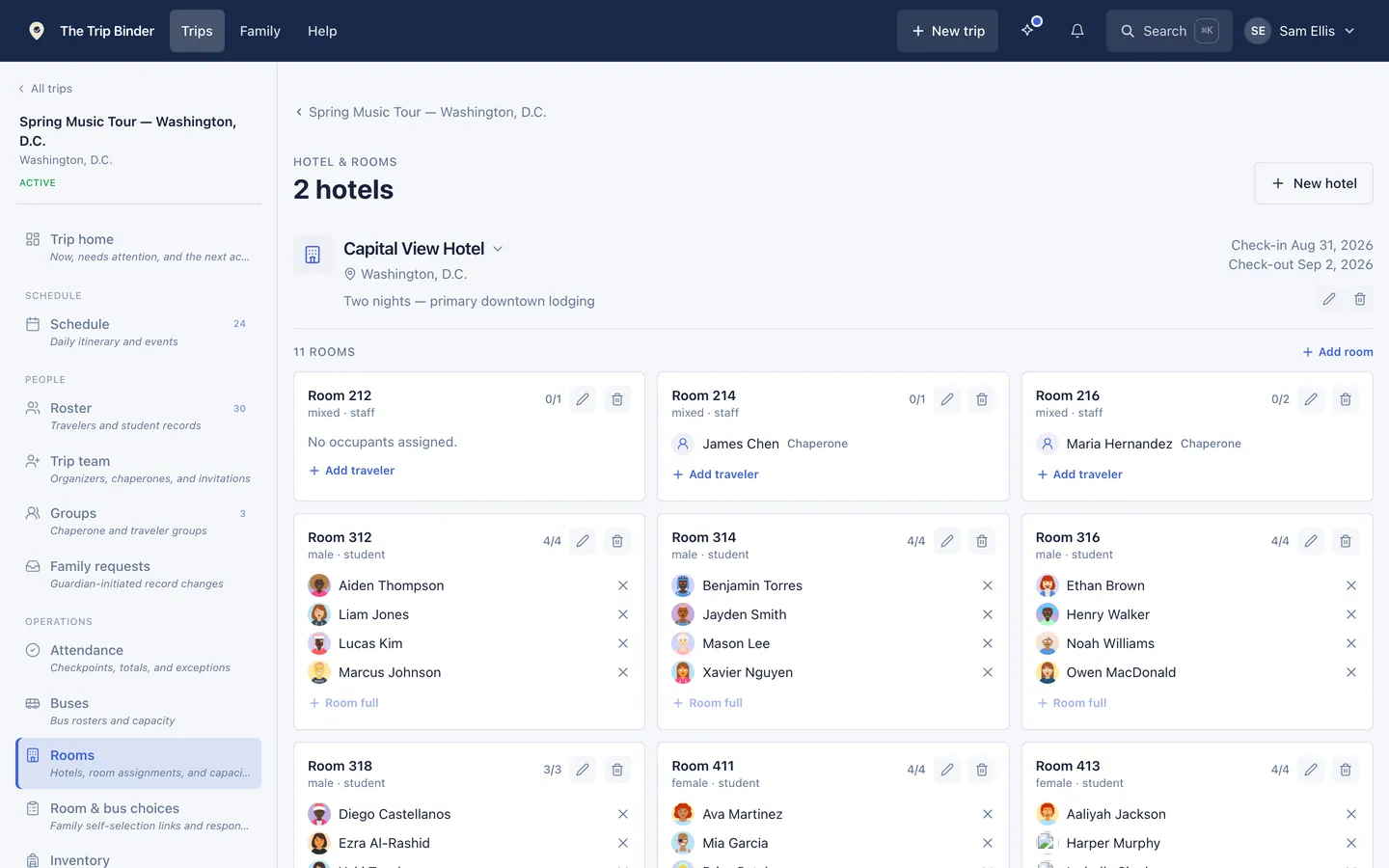
- Add each hotel, then its rooms with a capacity and Girls, Boys or Mixed. A room left unmarked never mixes boys and girls, or students and adults.
- Let students and parents choose in one of four ways: room groups that everyone in them accepts, open beds, instant pairing, or wishes that you place yourself. Set when signup opens and closes. Unless you allow changes, a choice locks once it is made, and families send you a change request instead.
- Place or move anyone yourself. Families cannot break the rules you set.
- Print the rooming list for your chaperones, or download it for each hotel as a spreadsheet. Both show each traveler's gender and grade. For the front desk, download the spreadsheet and delete the columns the hotel does not need.
- Mark each room checked during the bed check, on the phone even with no signal.
- Students see only their own room and roommates.
Common questions
- What is a rooming list for a school trip?
- It is a list of every hotel room on the trip and who sleeps in it, with the room number, the beds, who the room is for and the chaperone responsible. The hotel's front desk uses it at check-in, and chaperones use it for bed checks.
- How many students should share a hotel room?
- Put no more students in a room than it has beds, and no more than your school's policy allows. Ask the hotel how many beds each room really has before you set room sizes.
- Do I need Pro for hotel rooms?
- Yes. Hotels, rooms and room signup are part of the Pro plan, $99.99 a year or $19.99 a month. Day trips stay free.
Run your next trip on The Trip Binder
Day trips are free at any roster size, with unlimited travelers and chaperones. Build the trip on the web, then run it from the app on iPhone or Android.