Download the template
The workbook has three sheets: Roster, Trip and Itinerary. Every cell is plain text, so a spreadsheet program does not change your dates and times. Keep the sheet names and the first row of each sheet as they are.
It opens in Excel, Numbers or Google Sheets, and it is free to use, with or without The Trip Binder.
The Roster sheet
One row per traveler. Leave a column empty when you do not need it.
- First name, last name, student ID and grade.
- Date of birth. Students and parents use it to link their accounts to the right record, so fill it in.
- Gender, if rooms or buses are split by gender.
- Traveler type: Student, or Adult for a parent who travels with you.
- Bus and group, if you already know them.
- A parent name, email and phone, and an emergency contact with their relationship and phone.
- The health headings The Trip Binder uses: allergies, dietary restrictions, medical notes, over-the-counter medicines allowed, and behavioral and other notes. The template leaves them empty.
- Any column of your own, such as T-shirt size. Bring it in with Roster › Import roster, where you can make it a custom field.
This file is the Roster sheet on its own, for Google Sheets or any spreadsheet app.
The Itinerary sheet
One row per stop, with the columns Date, Start, End, Title, Location and Notes. Write dates as 2027-05-14 or 5/14/2027, and times on a 24-hour clock, such as 13:00. A row with no start time becomes a note for the whole day.
- Words in the title set the kind of event: bus or depart for travel, lunch for a meal, concert or rehearsal for a performance, hotel or check-in for a stay, and free time.
- Give every stop a meeting place and time, and leave a few minutes to count heads before the bus leaves.
- Put the venue's phone number in Notes.
The Trip sheet
Two columns: a name on the left and its value on the right. Keep the Format row as it is; it tells The Trip Binder that this is a Trip Binder file. Then fill in the trip's Name, Destination, Departure and Return. A trip that comes home the same day it leaves is a free day trip.
Print it, or import it
- Print the Roster and Itinerary sheets for a paper copy in the bus folder.
- To start a new trip from it, sign in on The Trip Binder website, choose New trip, then Import a Trip Binder file. The trip, its roster and its schedule are made in one step.
- For a trip you already made, use Roster › Import roster on the website for the travelers, and Import Trip Binder file on the Schedule page for the stops. The stops go to a review list first, and no AI is used.
- Have a tour company's itinerary as a PDF or Word file instead? The Schedule page on the website can draft the stops from it with AI. Every account gets 2 free AI drafts, and Pro includes 50 per trip.
Read more: The Trip Binder file format
Once it is in the app
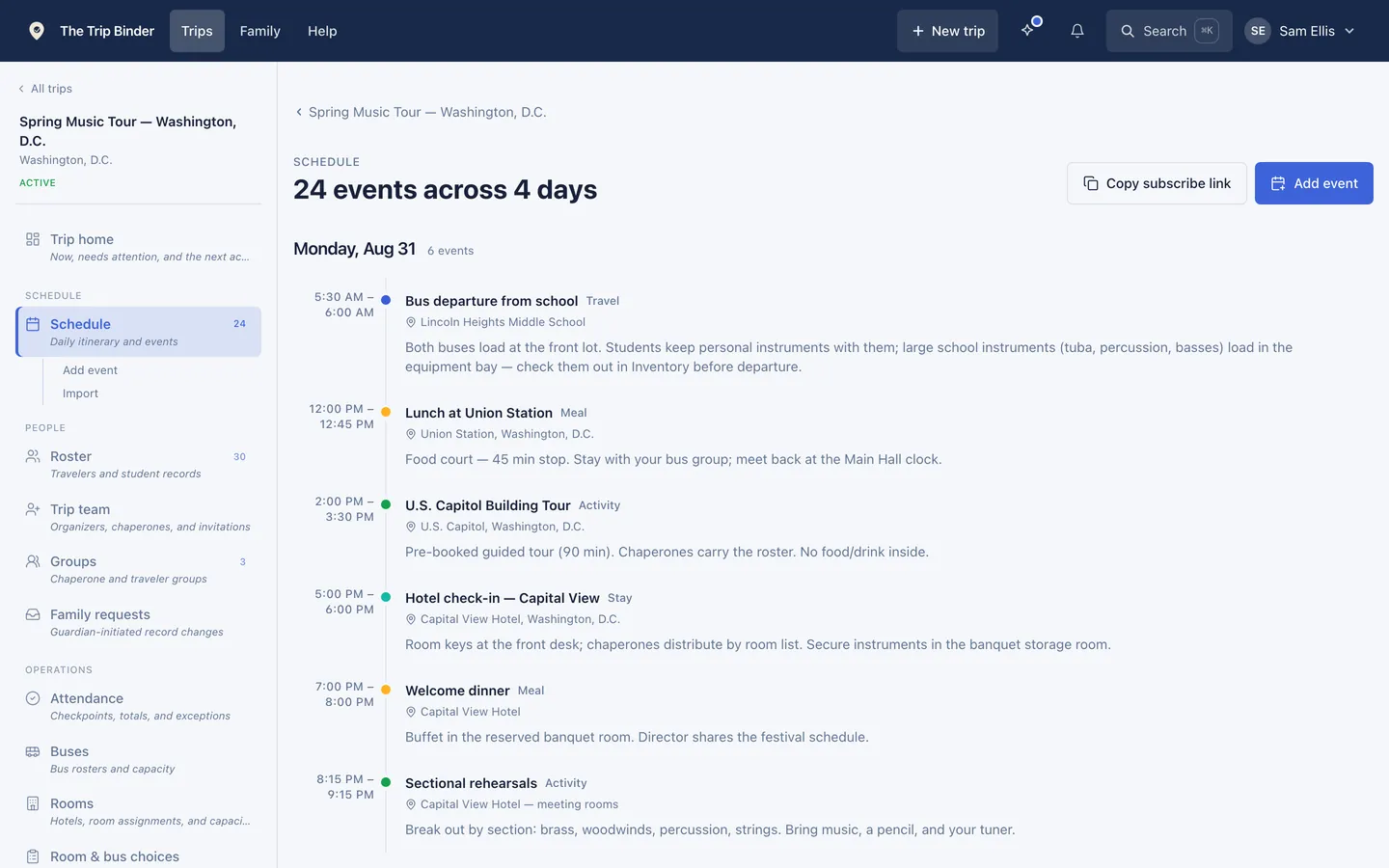
- The schedule is on every phone, and the trip home shows what is up next.
- Each stop can have a map pin, and a meeting point with its own time.
- An event can be for everyone, for some buses or groups, or for staff only.
- Anyone on the trip can subscribe to the schedule from their own calendar app.
Common questions
- What should a field trip roster include?
- It should have each student's name, grade, student ID and date of birth, their bus and group, a parent's name, email and phone, an emergency contact, and the health information your permission form collects. Add a gender column if rooms or buses are split by gender.
- Can I import a spreadsheet into The Trip Binder?
- Yes. On the website, Roster › Import roster takes a CSV or Excel file and matches common columns for you, and a Trip Binder file, like this template, can make a whole new trip with its roster and schedule in one step. In the phone app, you can paste rows copied from a spreadsheet into Import roster.
- Is the template free?
- Yes. The template is free to download and use, with or without The Trip Binder, and day trips in the app are free at any roster size.
- Can I import an overnight trip on the free plan?
- No. Overnight trips and trips with several travel days need the Pro plan, $99.99 a year or $19.99 a month, from the moment you create them. A one-day trip imports on the free plan.
Run your next trip on The Trip Binder
Day trips are free at any roster size, with unlimited travelers and chaperones. Build the trip on the web, then run it from the app on iPhone or Android.