Decide these before you leave
- Who is in charge if a student cannot be found. One person decides, everyone else reports to them.
- Who searches and who stays. The group never waits alone, and nobody searches alone.
- Where the group regroups at each stop. Pick a spot a student could find without a map.
- What students do if they are separated: stay where they last saw the group, or go to the meeting point, and message the staff.
- When you call the venue, the school and the family. Your school or district policy decides this, so read it before the trip, not during.
Read more: What to tell your chaperones
Make it hard to lose someone
Count at every move: before the bus leaves, after every stop, before you leave a building. Give each chaperone a group small enough to know by face. In The Trip Binder each student has a photo, a bus and a count-off number on every chaperone phone, and it all works with no signal once the trip has been opened on Wi-Fi.
Read more: How to do a head count
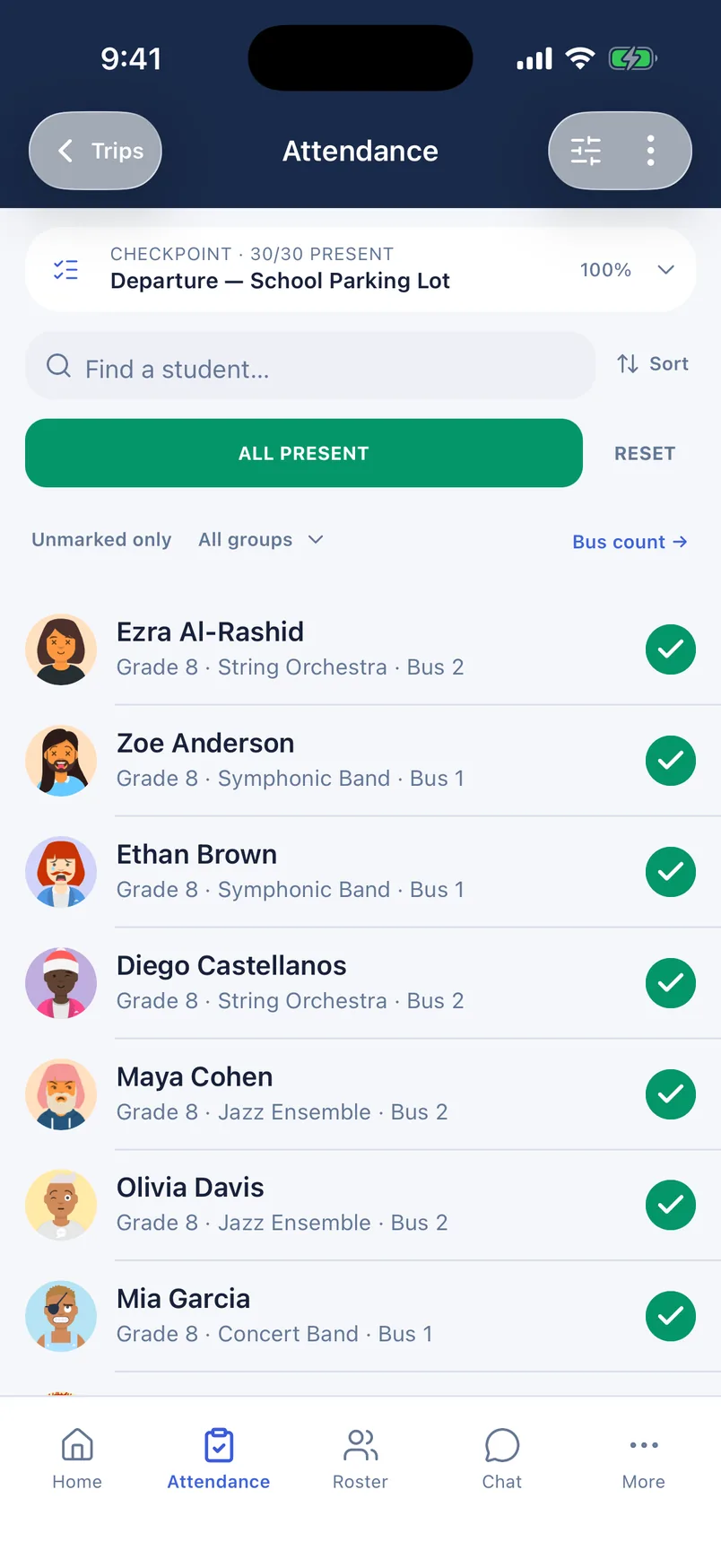
One shared list. When it is short by one, every chaperone sees the same name.
The first five minutes
- Count again. A second count tells you whether someone is really missing and exactly who.
- Tell the staff in one message. In the app, Notify staff sends every other staff member the names that are not checked in, so nobody starts a group text.
- Check who is away on purpose. A student who left with a parent or is with the nurse should be marked away from the group, and then the count does not expect them.
- Look at the chat. A separated student may already have written to the staff.
- Send two people back to the last place the student was seen. Everyone else keeps the group together, in one place, counted.
Tell the student where you are
A student with a phone needs one clear instruction, not ten messages. Open the stop on the schedule and tap Send meeting point. Everyone the stop is for gets a notification such as "Meet at 1:45 PM · North steps" that opens to the spot on a map. Every student also has an Ask the staff chat that reaches all the trip staff at once, so they can say where they are.
When to call for help
Tell the venue staff or security early. They know the building, they have radios and cameras, and they would rather hear about it in the first minutes. After that, follow your school or district policy on when to call the school office, the family and the police. If you are not sure whether it is time to call, it is time to call.
When the student is found
- Mark them present, so every phone shows the count is whole again.
- Tell the staff they are found, the same way you told them they were missing.
- Check the student is all right before you ask what happened.
- Write down the times and what you did while you still remember. Your school may ask for it.
- Tell the family yourself, by phone, if your policy says to. They should not hear it from another parent first.
Common questions
- What should a student do if they get separated from the group on a field trip?
- Stay where they last saw the group, or go to the meeting point they were given, and tell the staff where they are. Teach this before the first stop. A student who keeps walking to look for the group is much harder to find than one who stays put.
- How do chaperones find out that a student is missing?
- In The Trip Binder, whoever finishes the count taps Notify staff, and every other staff member gets one message with the names that are not checked in. Without an app, agree on one channel before the trip and name one person who sends the message.
- Does a missing student plan still work with no cell service?
- The plan has to. Agree on meeting points and who searches before you leave. In The Trip Binder the roster, photos and attendance work with no signal once the trip has been opened on Wi-Fi, and marks sync when the connection returns. Notifications need a connection.
Run your next trip on The Trip Binder
Day trips are free at any roster size, with unlimited travelers and chaperones. Build the trip on the web, then run it from the app on iPhone or Android.