What a bus list needs
- Every traveler on exactly one bus, including the staff.
- At least two staff on each bus, and one of them comfortable taking the count.
- A number for each rider, so the count goes in the same order every time.
- Where each bus loads and where it meets at each stop.
- One place the list lives, so a change at 6 AM reaches every chaperone.
How to split the group
Keep the groups that already exist together where you can: a chaperone and their students, a section, a class. Put students who need a staff member close by on that staff member's bus. On an overnight trip, try to keep roommates on one bus, because the first thing you do at the hotel is hand out rooms by bus. Then even out the numbers.
Read more: Making the rooming list
Assign the buses, or let families choose
In The Trip Binder you add each bus on the Buses page and put travelers and staff on it. If your roster spreadsheet has a Bus column, importing it makes the buses for you. If you would rather let families choose, Room & bus choices lets a parent or student pick a bus until it is full, and you can pause it or change anyone afterwards.
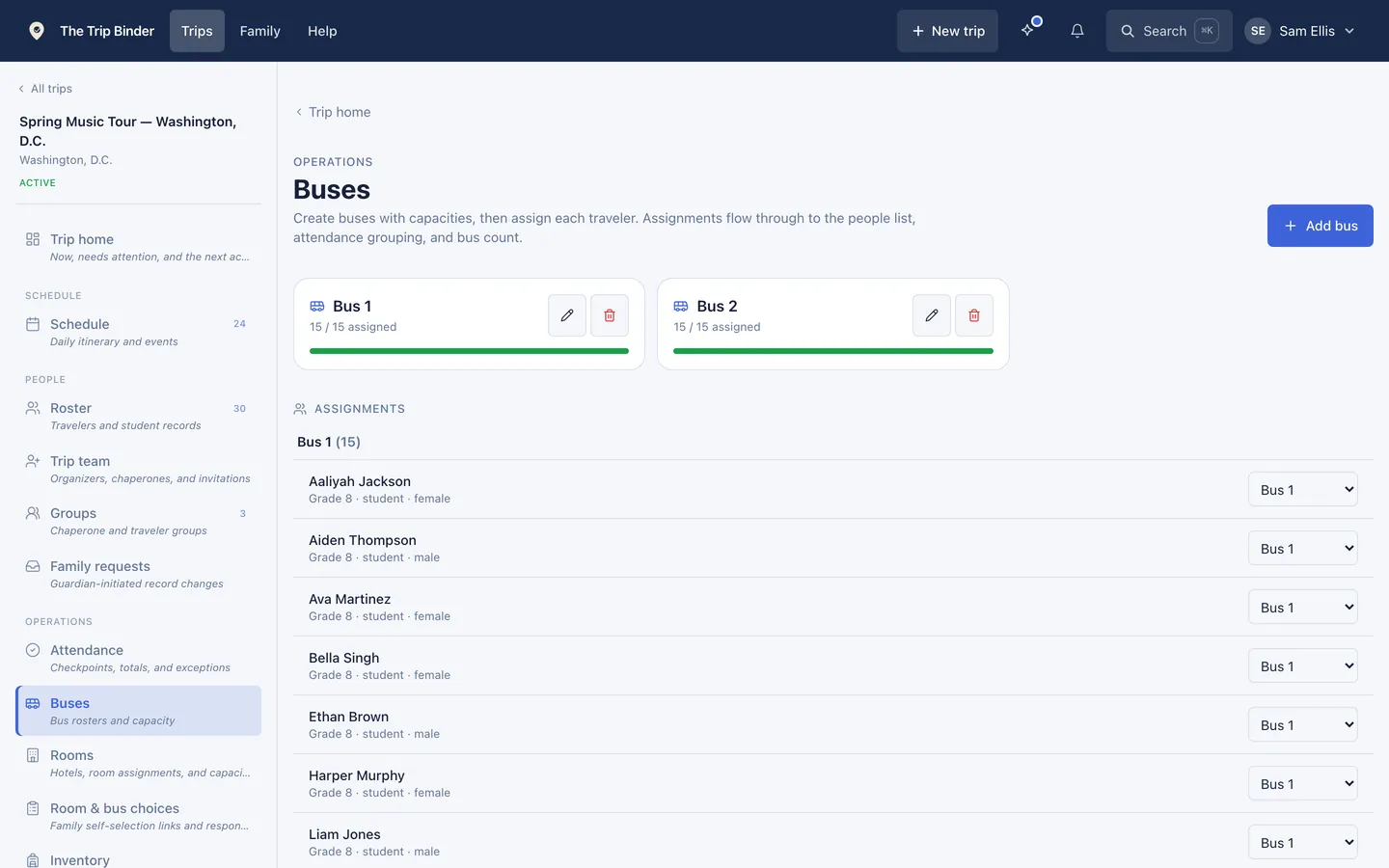
Each bus with its capacity and who rides it.
Number the riders
Numbering a bus 1 to however many ride it takes one button, and you choose the order: students, other travelers or staff first, then by last name, first name or group. Many groups have students say their number as they board. The bus count-off then shows names and photos in that order, one at a time.
Read more: How the bus count-off works
Put the list on every chaperone phone
A printed bus list is out of date the first time a student switches buses. Chaperones in the app see the current list, can filter the roster and attendance to their own bus, and can read it with no signal once the trip has been opened on Wi-Fi. If you want paper as a backup, the roster export has a Bus column.
On the day
- Count each bus before it moves. A bus that has not been counted does not leave.
- Use the bus chat for bus business. Each bus has its own chat for its riders and the staff, so "Bus 2 is loading at door 4" does not buzz Bus 1.
- When buses go different places, give each bus its own schedule entry and meeting point.
- When a student changes buses, change it in the app before the next count, so both buses count right.
Read more: How to do a head count
Common questions
- Should chaperones be assigned to a specific bus?
- Yes. A chaperone who always rides the same bus learns its students by face, and the count gets faster every time. In The Trip Binder staff are seated on a bus like any rider, and that bus becomes their default list.
- How do you take attendance on a school bus quickly?
- Give each rider a number and count in number order as they board, with one person counting and one watching the door. In The Trip Binder the bus count-off steps through the riders with their photos, and the result can go to the rest of the staff in one message.
- What if a student rides a different bus on the way home?
- Move them to the other bus before the count, so neither bus is short or over. In The Trip Binder that also moves them to the new bus chat. If you count by number, number that bus again.
Run your next trip on The Trip Binder
Day trips are free at any roster size, with unlimited travelers and chaperones. Build the trip on the web, then run it from the app on iPhone or Android.