Before the trip: set expectations once
- Say how updates will arrive and roughly how often. "One update each evening, and anything urgent right away" is enough.
- Say who to contact in a real emergency at home. Usually the school office, which can always reach you.
- Say what you will not do: answer individual texts during the day, or send a photo of every child.
- Put all of it in the letter home, so you are not explaining it at the bus.
Read more: Letter to parents, with templates
During the trip: one sender, a few fixed moments
Pick one person to send updates, so families hear one voice. Send at the moments parents are actually wondering: the group has arrived, everyone is in for the night, plans changed, and the group is on the way home with a time. A short update at the same time each day stops most of the questions before they are asked.
Sending updates from the app
In The Trip Binder an announcement goes to the people on the trip. Turn on Share with parents and each linked parent or guardian also gets it by email, on their child's trip page, and as a notification if they have the app. A parent with two children on the trip gets it once. You can mark a post urgent, or write the evening update in the afternoon and schedule it to post later.
Read more: How announcements work
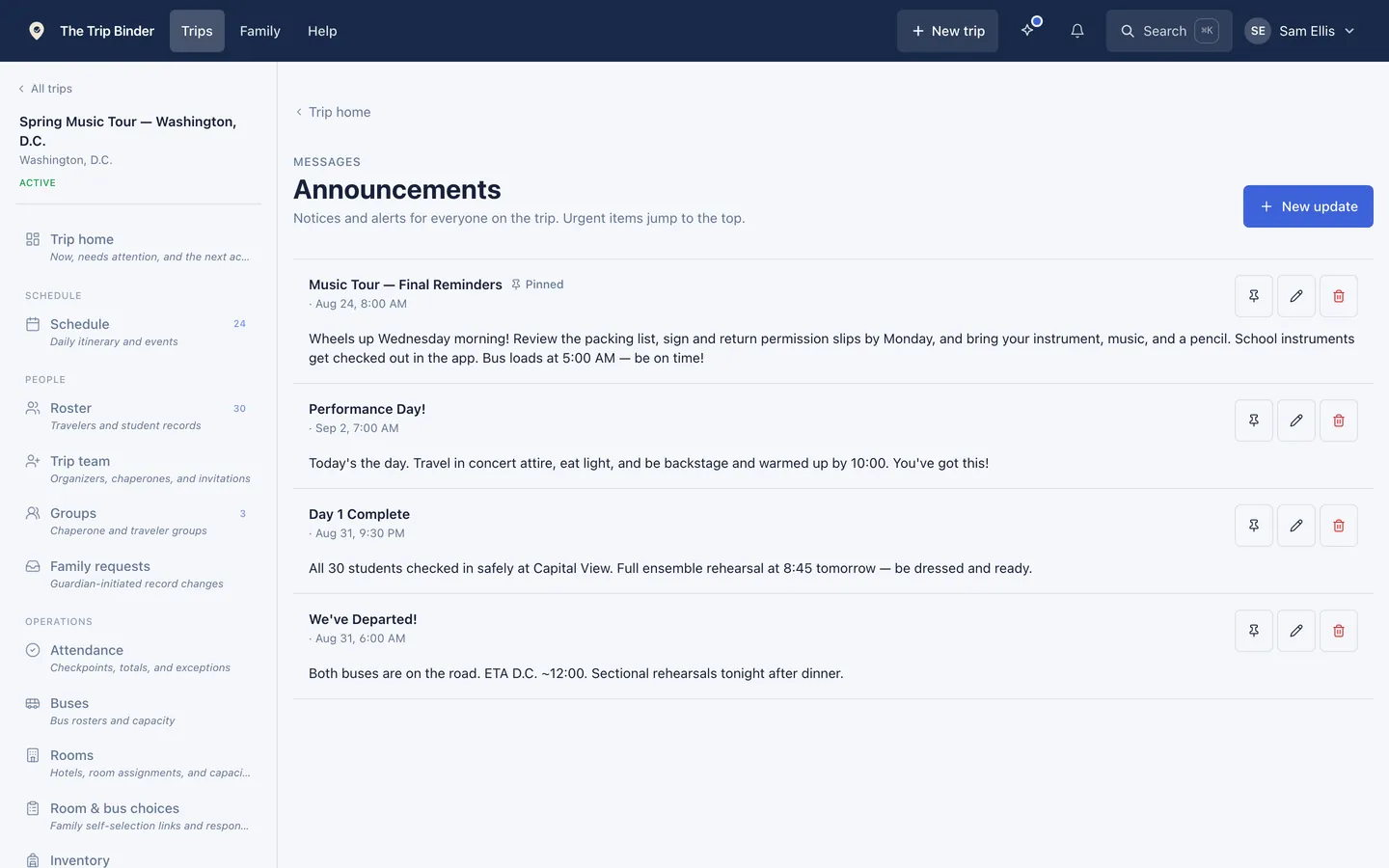
The updates for one trip, in one list.
What parents can see for themselves
A parent linked to their child can open the trip from the Family page and read the schedule, the posts you shared with parents and the documents you shared with everyone, without asking you. If you turn the photo album on for parents, they see the photos too. Most "what time do they get back" questions end there.
Read more: What parents and travelers can see
Questions from parents
Give questions one place to go that is not your personal phone. In the app, a linked parent can write in Ask the staff from their child's trip page. You choose whether every chaperone sees those questions or only the organizers, which matters when a question is about a family situation. You can also switch parent messages off for the trip, and parents then read only.
Read more: How Ask the staff works
What does not belong in a group update
Anything about one student. An injury, an illness or a discipline problem is a phone call to that family, made by you or the school, before anything goes to the group. Keep group updates to what is true for everyone.
Coming home
- Send the expected arrival time when you leave the last stop, and again if it moves by more than a few minutes.
- Say exactly where pickup is, and where students wait if a ride is late.
- Send one last post when every student has been picked up, if your school likes a clear end to the trip.
Common questions
- How often should you update parents during a school trip?
- Decide before the trip and tell families. For most overnight trips, one update each evening plus anything urgent is enough. For a day trip, an arrival message and a return time are usually all anyone needs. Keeping to the schedule you announced matters more than how often it is.
- Can parents reply to a trip announcement?
- Announcements are one way. In The Trip Binder a parent who has a question writes in Ask the staff from their child's trip page, unless the trip leader has set parents to read only. Replies to the announcement email are not read, and the email says so.
- Do parents need the app to get trip updates?
- No. A parent linked to their child gets posts shared with parents by email, and can read the trip on the website in any browser. The phone app adds notifications.
Run your next trip on The Trip Binder
Day trips are free at any roster size, with unlimited travelers and chaperones. Build the trip on the web, then run it from the app on iPhone or Android.